What you can do

Our library, your library, or both.

You work in the browser. They train in the app, or in their browser too — it's the same account either way.

Use our library

The full DailyFit15 catalogue — every movement already written up, with demo clips, muscles worked and easier and harder variations.

  • Nothing to set up
  • Demo clip on every movement
  • Regressions and progressions built in
Or upload your own

Your exercises, described your way. Add the cues you actually say out loud, and upload a clip of the movement being done properly.

  • Your name, description and cues
  • Upload an .mp4 or .mov demo
  • Set an easier and a harder version
Assign the day

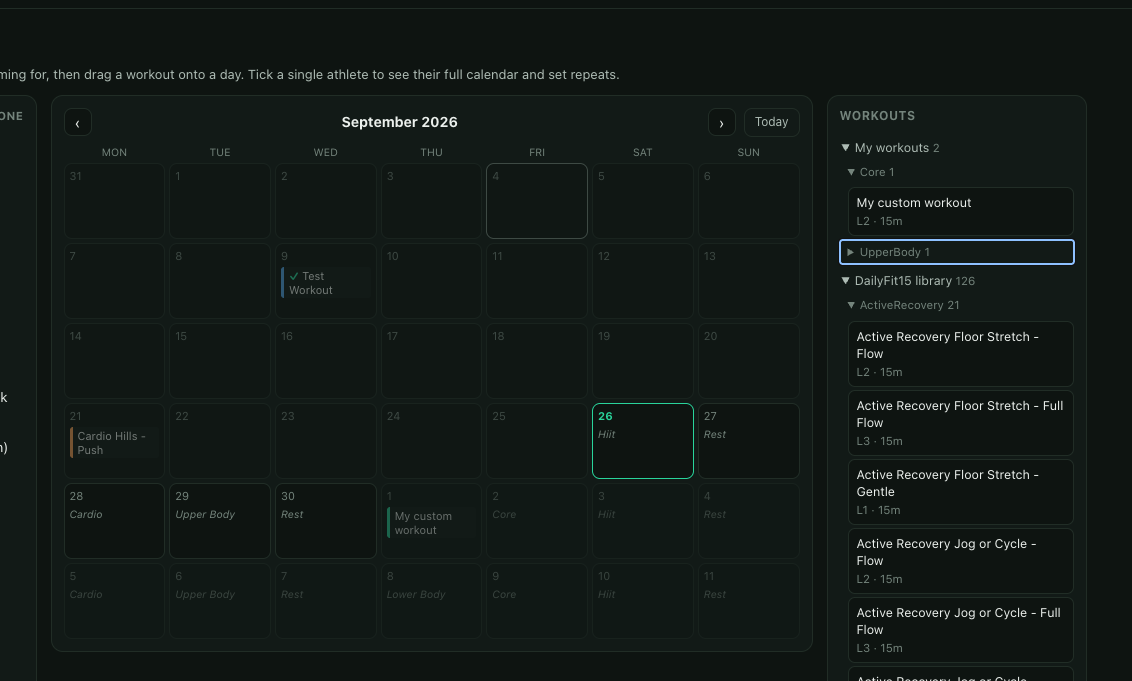
Build a session from either library and put it on a specific date for a specific athlete. Adjust a single day without touching the rest.

  • Per-athlete, per-day
  • Leave a note on the day
  • Their other days carry on as normal
Why it's different

Built for the awkward cases.
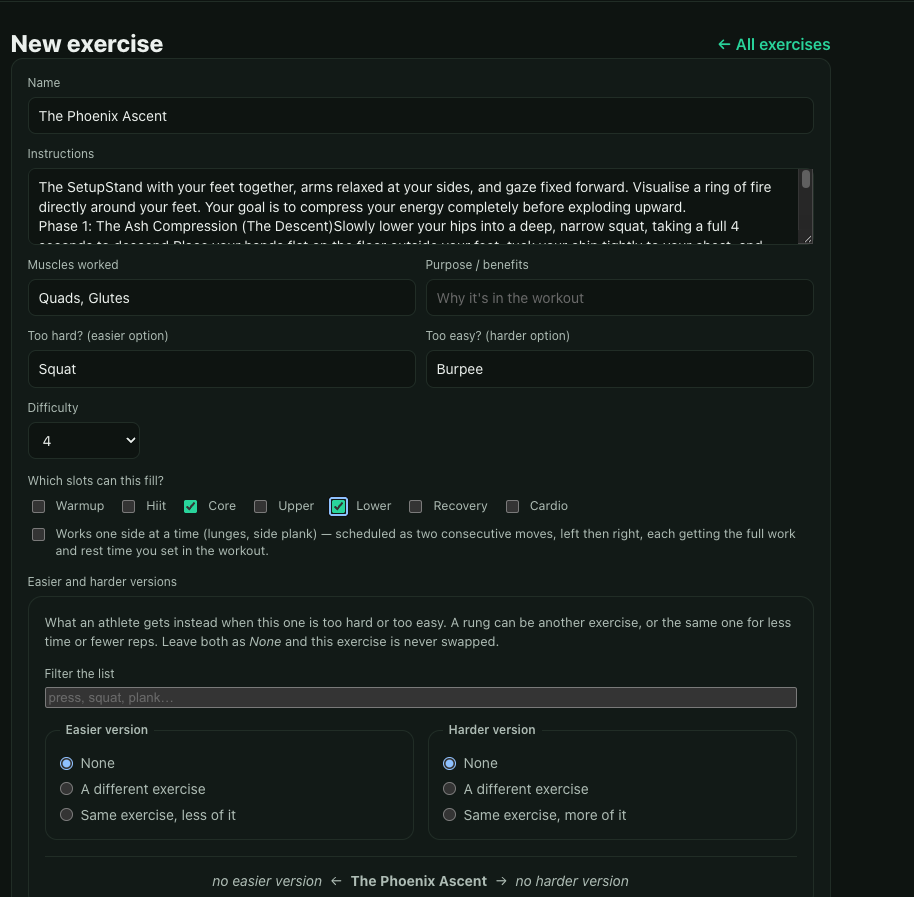
Building a custom exercise: instructions, muscles worked, easier and harder versions, and which slots it can fill
Your own exercise, your own cues
01

Rehab, not just training

If the movement someone needs is three sets of a very specific shoulder drill, you can write exactly that and nothing else. A prescribed exercise is a first-class thing here, not a workout with bits removed.

02

Your demonstration, not a stock one

Upload a clip of the movement done the way you want it done. It plays in the guided player alongside your cues, so they see your version at the moment they're doing it — not a half-remembered one from the clinic.

03

An easier and a harder rung

Give each exercise a step down and a step up. When a day is too much or too little, there's somewhere sensible to go that you chose, rather than them guessing or quietly skipping it.

04

See what they actually did

Completed sessions and how hard each one felt. Enough to know whether last week landed, without asking them to keep a diary they won't keep.
Getting started

Three steps, then it runs itself.

01

Invite your athlete

Send an invite from your coach area. They accept in the app or the browser, and they're linked to you.

02

Build the session

Pick movements from our library, your own, or a mix. Set the reps, the holds and the rest.

03

Put it on a date

Assign it to the day you want it done. It replaces their usual session for that day, and only that day.

A coach's calendar: drag a workout from the library onto any day for an athlete
Drag a workout onto the day you want it done

Coaching yourself? That works too — you can assign your own days without a second account.

The written guide

Every field, explained.

A four-page PDF walking through building a workout, adding your own exercises and demo clips, and putting them on an athlete's day. Worth a read before your first one.

Apply

It's free, and opened by hand for now.

There's no charge for coaching — your athletes already have DailyFit15, and you assigning their days costs us nothing worth billing for. We're adding coaches and physios deliberately slowly so we can actually talk to the first ones. Tell us a bit about who you train and we'll be in touch.